Powerful Popup Dashboard
Click the extension icon to instantly view your mining stats across all three pools
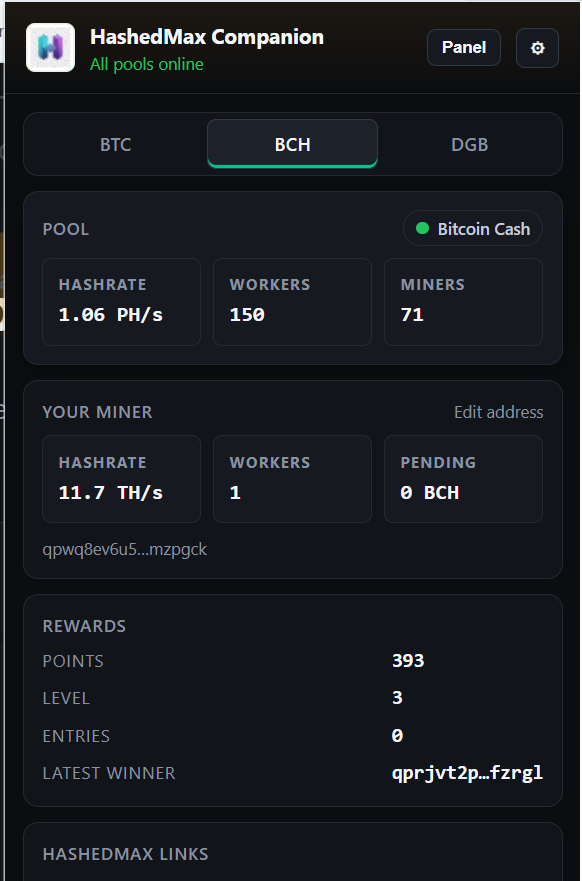
Monitor Everything at a Glance
BTC BCH DGB
Track pool hashrate, connected workers, miners, your personal hashrate, pending balance, rewards points, level, entries, and the latest draw winner—all in one convenient popup.
Beautiful New Browser Tab Dashboard
Every new browser tab becomes your personal mining command center
↓ Latest Block Finds shown below the pool cards
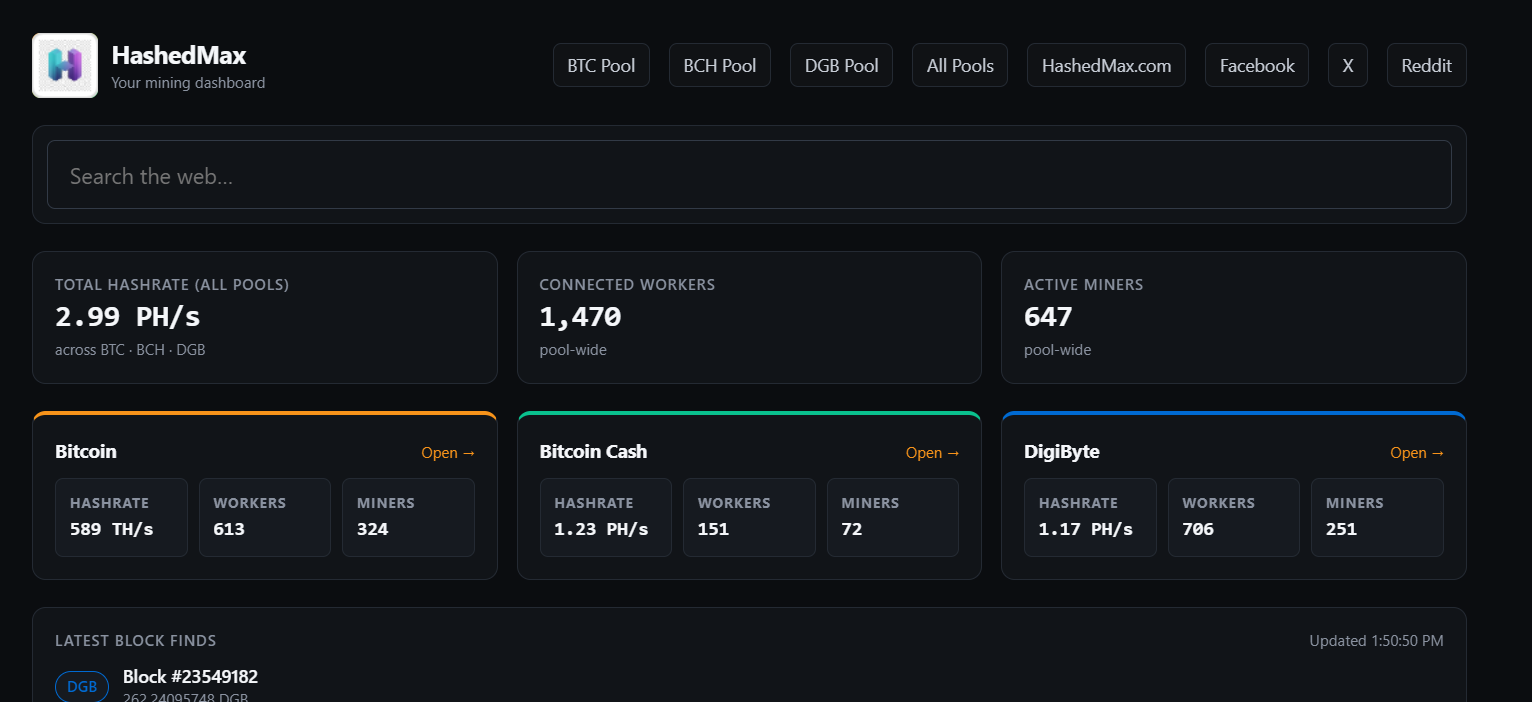
Your Mining Dashboard, Always One Click Away
See total hashrate across all pools, connected workers pool-wide, active miners, individual pool breakdowns, and a live feed of the latest block finds. Plus quick links to all your favorite HashedMax resources.
Never Miss a Beat
Real-time desktop notifications keep you informed
Block Found Alerts
Get instant notifications when any of your pools finds a block. See the block number and reward amount right in the notification.
Pool Announcements
Stay updated with important pool announcements. Notifications appear automatically when new announcements are posted.
Worker Offline Alerts
Know immediately if one of your workers goes offline so you can take action quickly and minimize downtime.
Pool Health Monitoring
Receive alerts when pool APIs go down or come back online. The toolbar badge shows how many pools are unreachable.
Everything You Need
Multi-Pool Support
Monitor Bitcoin (BTC), Bitcoin Cash (BCH), and DigiByte (DGB) pools simultaneously from one unified interface.
Real-Time Updates
Auto-refreshing stats every 1-5 minutes. Pool stats, miner data, and announcements stay current automatically.
Rewards Tracking
View your rewards points, level, active days, monthly entries, and see who won the latest draw—all in one place.
Privacy First
All data fetched directly from HashedMax pool APIs. No third-party tracking, no telemetry, no data collection.
Side Panel View
Persistent side panel shows all three pools at once with unified block stream. Keep it open while you browse.
Customizable
Toggle notifications on/off, manage wallet addresses, and customize your experience in the settings page.
Ready to Get Started?
Install HashedMax Companion in minutes and take control of your mining operations
Coming SoonDownload
Get the extension from the Chrome Web Store or load it unpacked in developer mode.
Configure
Click the extension icon, go to settings, and enter your wallet addresses for each pool you mine on.
Monitor
That's it! Your stats will start appearing immediately. Open new tabs, check the popup, or use the side panel.
Supported Browsers
Chrome • Edge • Brave • Any Chromium-based browser with Manifest V3 support